For hosts
Reliable Wi-Fi for all your properties
Each system ships to your door, preconfigured for the property.
Your properties3
- Lakeview Cottage99.9% uptime
- Midtown Loft99.6% uptime
- The Carriage HouseOffline 4 minutes
Guests get on in one step
One network name and a password on a card, or a code by the door. There’s no account per guest and nothing for you to reset between stays.
Whatever you keep there stays yours
Your smart lock, your storage, your own devices sit on a separate network guests can’t see or reach. A guest device can’t talk to another guest device either.
One device can’t take the whole connection
Bandwidth is capped per device, so somebody downloading a season of something doesn’t take the connection away from the family in the other room.
Alerted when it drops
On a support plan we’re alerted when your equipment goes offline, and we fix what we can remotely. You still answer your own guests, but you’re not the one finding out what broke.
In Touch Stay’s analysis of 37,359 guest conversations across 11,293 rental properties, from November 2025 to May 2026, Wi-Fi was the most-asked guest question, and the one most often with no answer in the guidebook.
What goes in
What a wired build is made of.
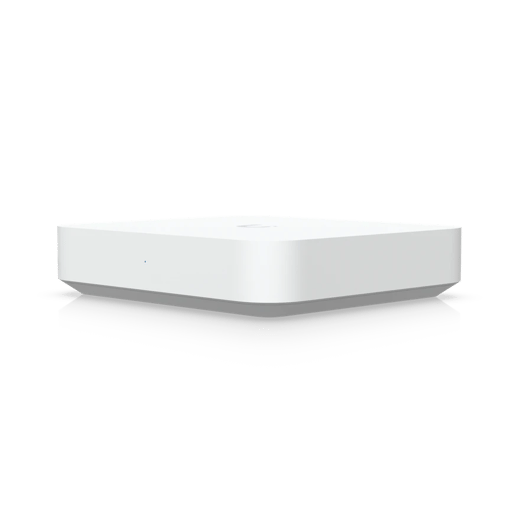
Gateway Max2.5G
Gateway
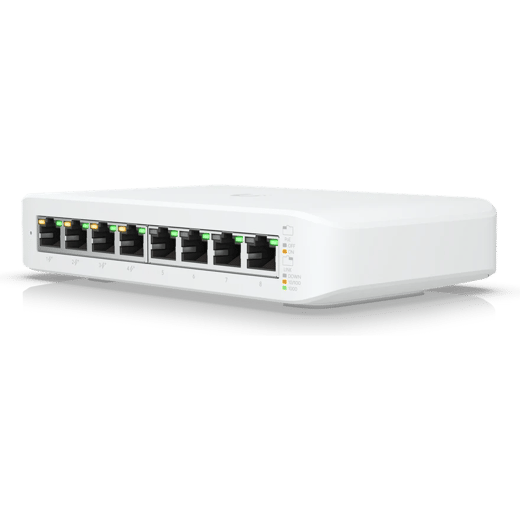
Switch Lite 8 PoE
8-port PoE switch
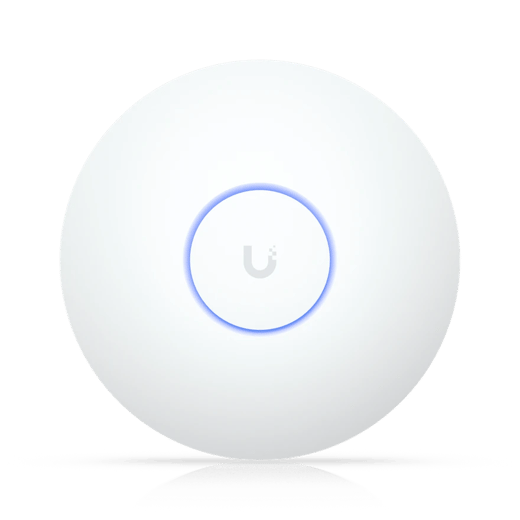
U7 Long-Range
Ceiling access point
What fits a place you rent out
Both put a cabled access point in each part of the property. The Pro access points add 6 GHz and 2.5 Gb switching.
Recommended for hosts
Wired
Long Range · Gateway Max
The most reach from each access point
$1,099
- Long-range access points, two covering about 3,500 sq ft
- Wi-Fi 7 access points on the ceiling, each on its own cable
- Separate networks for guests and devices
- A secure way into the network from anywhere, with UniFi’s built-in VPN
Wired
Pro · Gateway Max
The fastest Wi-Fi in every room
$1,379
- 6 GHz for VR headsets and the newest devices
- More than 1 gig through each access point
- Up to 2.5 gig between computers and drives plugged into the network, for fast file transfers
- Wi-Fi 7 access points on the ceiling, each on its own cable
Running a portfolio?
The same build at every property, all under one login.
Not sure? Design My System puts one together from a few questions about the place.
- Access points for the size of the property
- One-step guest access, with nothing to reset between stays
- Your own devices kept on a separate network
- Per-device bandwidth caps and device isolation
- Every property under one login, however many you run
- A month-to-month support plan, priced per property
Common questions
No. The guest network is separate from anything of yours and devices on it can’t see each other, so a departing guest takes nothing with them. If you’d rather each stay had its own code, the system issues vouchers that expire on their own and we’ll show you how. Vouchers put a sign-in page in front of the guest; one password doesn’t.
On a support plan we’re alerted when your equipment goes offline, and we fix what we can remotely. Talking to the guest stays with you. Getting the connection back doesn’t.
Not for the setup. It arrives configured, and whoever plugs it in can call us with questions, whether that’s your property manager or whoever holds the keys, though not a guest. The wired packages need a cable run to each access point, and the installer who runs it needs access to the property rather than to you.
Your own devices sit on their own network, separate from the guest one, so a guest can’t see them. Some of them will need pairing to the new network when it goes in and some carry over on their own. Tell us what is already there and we plan for it before anything ships.
Yes. You can block categories of site on the guest network from the app, and on a support plan we’ll set the filtering up and change it when your needs change.
Usually not. One access point trying to cover a whole property runs out of reach long before the plan runs out of speed, which is why we size the number of access points to the building. Upgrading the connection behind a single router in the hallway changes very little.
Yes. Each property has its own equipment, and they all appear under one login, so you can check on any of them or change something without a separate app for every place. The support plan is priced per property, so three places is three plans.
Tell us about the place
Answer a few questions about the place and we’ll point you at what suits it. Call us instead if you’d rather talk it through.