After something happens
Most businesses go looking for footage only after something has gone wrong, like a break-in, a customer’s fall or a car hit in the lot. Then someone has to find the right minutes across several cameras, save them before they’re recorded over, and get them to the police or an insurer in a form they’ll accept.
That’s the job Case Manager does in UniFi Protect. It’s built into every Protect system, and it gets far less attention than it deserves.
One case for one incident
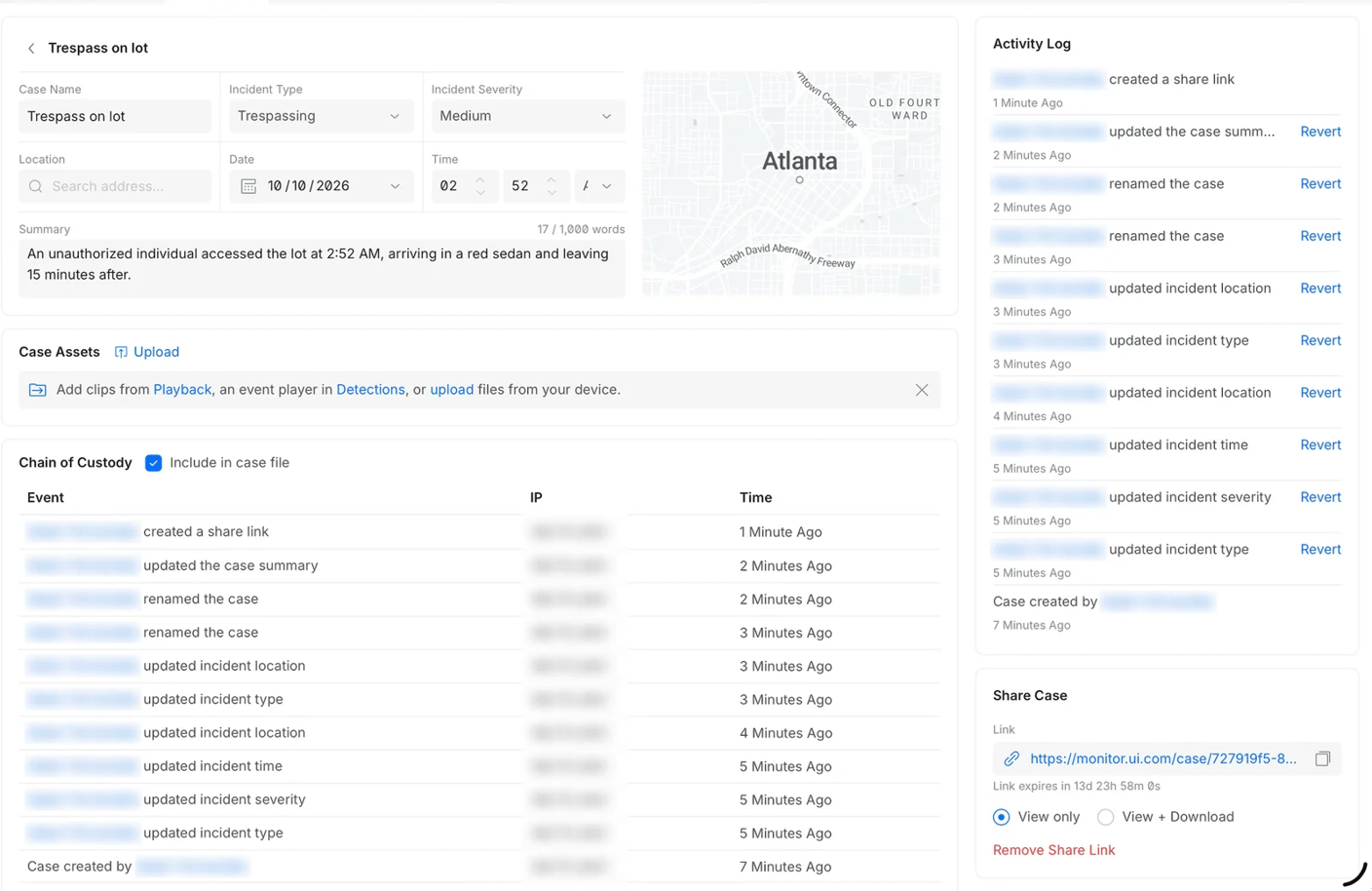
Clips go into a case from playback or from a detection, and photos or other files can be uploaded from a phone or a computer. Each one can be trimmed to the moments that matter, with notes beside it, and clips from different cameras sit together on one timeline, so the case tells the story in order, from the car pulling in to the person at the door and the car driving away. The case also records the incident’s type, severity, date, time and address, with a written summary.
A case is kept past the system’s normal recording period, so the footage is still there when the claim or the court date comes months later. Anyone with admin access to the system can open it.
Evidence anyone can check
A case exports as one file, with the clips and a PDF that describes them, or goes out as a link that’s password protected and expires, for viewing only or with downloads allowed, so a detective or an adjuster can open it without a file changing hands. Each exported clip is fingerprinted and digitally signed, and anyone who receives it can check it at evidence.ui.com. A clip that has been edited or tampered with is flagged.
The case also keeps a chain of custody, recording who viewed it, which clips they opened and what they downloaded, and that record can go along with the case when it’s shared. When a police department or an insurer asks how the footage was handled, the answer is already written down.
Part of every camera system we install
Case Manager comes with UniFi Protect, with no license to buy. If your cameras are on Protect, it’s already there, and we’ll show you how to use it when we install your camera system.
Sources
- Build Incident Reports with UniFi Case Manager, Ubiquiti Help Center
- Welcome to Protect 7.2, Ubiquiti