Warehouses and Plants
Signal that survives the racking
We plan Wi-Fi around your racking at full stock, so scanners and tablets stay connected from the dock to the back aisle.
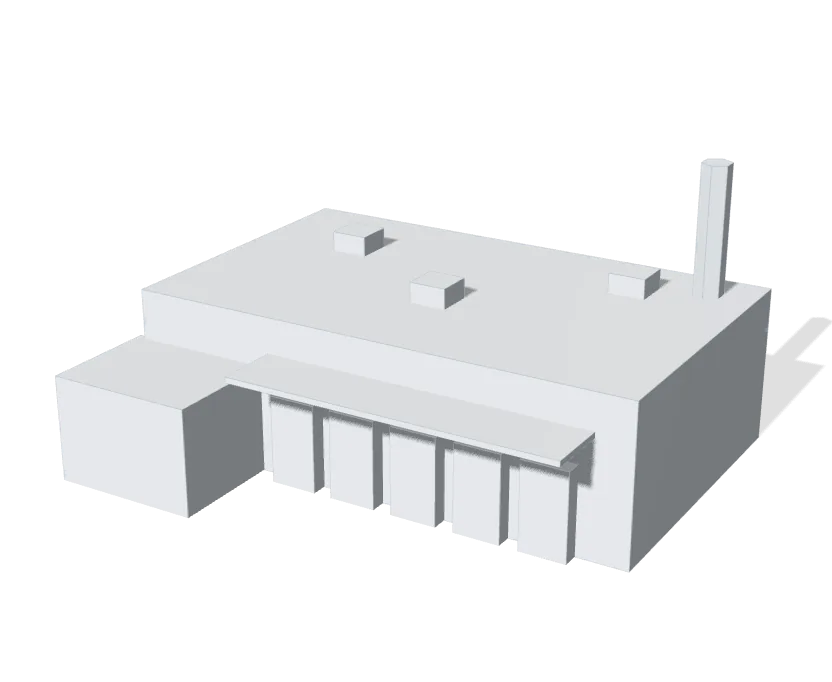
Coverage down every aisle
Access points go where the stock will sit, planned against the racking layout at full capacity. Scanners and tablets keep their connection the length of an aisle, and the office, showroom and dock run on the same system.
Connect legacy machines to Wi-Fi
A machine, scale or controller with only an Ethernet port joins the network through a Device Bridge IoT, a small Wi-Fi bridge that mounts on a DIN rail and runs on the machine panel’s own 9 to 30 V DC. Nothing is pulled across the floor to reach it.
Cameras across the whole site
Cameras cover the doors, the floor and the yard, and record to equipment in your building with no cloud subscription. AI search finds a person or a vehicle across a day of footage in seconds, and we use 4K where a face or a plate has to be legible.
Production equipment on its own network
Machines, PLCs and label printers run on a network of their own, apart from the office computers and the guest Wi-Fi. A laptop that picks up malware in the office can’t reach the line.
Labels that print through an outage
Cloud shipping and warehouse software stops printing labels the moment the internet drops. A 5G backup or a second line takes over automatically, so the dock keeps shipping, and the network hands back when the main line returns.
Doors on the shift schedule
UniFi Access unlocks doors on a schedule and keeps them locked outside it. When someone leaves, their one credential is turned off. A plant can start with a single door as a pilot, with the old keypad still wired in beside the reader, and add doors once staff have used it.
Learn more on Ubiquiti’s siteUniFi ProtectUniFi AccessUniFi Talk
Built for the plant floor
Built for heat, cold, dust and the yard.
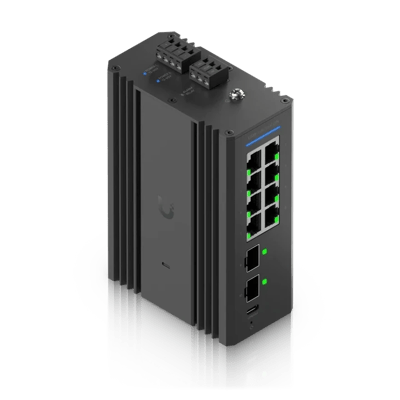
Industrial DIN 8 PoE
Clips onto the DIN rail in a control cabinet, beside the machines it connects.
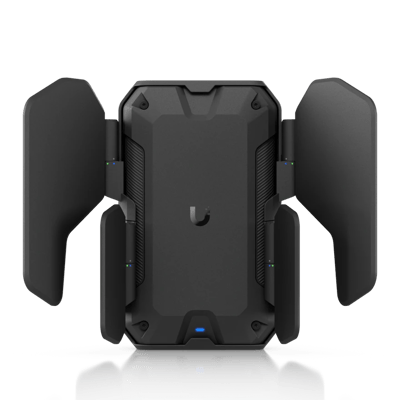
U7 Industrial
Wi-Fi 7 for the dock and the yard, sealed to IP67 against rain and dust.
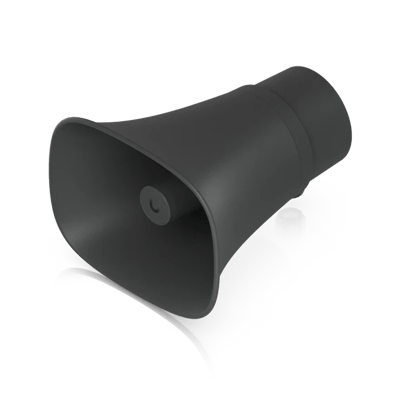
AI Horn Speaker
Calls out safety problems the cameras catch, such as someone on the floor without a hard hat or a safety vest.
What a typical build looks like
A starting point, not a quote. We’ll fit it to your building at the site visit.
- Access points planned against the racking layout at full stock
- A pair of Dream Machine gateways in failover
- PoE switching, with fiber to the far end of the building
- Separate networks for production, the office and guests
- Industrial gear where the floor runs hot, cold or wet
- Cameras on the docks, the doors and the yard
- Card or phone entry on exterior doors, scheduled by shift
- Temperature sensors in cold rooms and the equipment closet
- Desk phones on UniFi Talk
- Automatic failover to a second internet line or 5G
Where we’ve done it
Finished jobs in buildings like yours, and what changed afterward.

Common questions
Yes. We place access points over the aisles, planned against the racking at full stock, since that’s when coverage fails. Where the building runs past the reach of copper, fiber carries the network to switches at the far end.
Yes. Ubiquiti’s industrial line is built for it. The U7 Industrial access point is sealed to IP67 and runs from −40 to 158°F (−40 to 70°C), and the DIN-rail switch mounts in a control cabinet beside the machines.
Yes. A Device Bridge IoT connects a machine, scale or controller with only an Ethernet port over Wi-Fi, so no cable has to cross the floor to reach it.
Yes. Outdoor access points cover the yard out to the trailers, so a scanner keeps its signal past the dock door.
Yes. Handheld scanners join like any other Wi-Fi device, and we give them a network on the band and security they support, since older models often need 2.4 GHz.
Yes. We take on plants and distribution campuses of any size. Buildings on one site are linked by fiber or a Building Bridge and run from one console, with a pair of gateways in failover.
Yes. Temperature and humidity sensors report to the same system and alert the people you choose on their phones, day or night. Acting on an alert is up to your staff: we do not run a monitoring center.
Yes. We move the numbers to UniFi Talk and replace the desk phones, and the old service stays live until the transfer completes, so calls keep coming in during the move.
The services behind it
- Wi-Fi and NetworkWi-Fi, switching and backup internet
- Structured CablingCable and fiber runs, racks and labeling
- Cameras and AlarmsCameras, alarm sensors and alerts
- Access ControlDoor readers, schedules and lockdown
- Business PhonesDesk phones, softphones and number porting
- Managed ServicesMonitoring, updates and support after the install
Other buildings like yours
See what your building could do
Start with a short call. Then we come out, look at the space and design a system that fits your building.