Eliminating the weakest link
A business network is a chain of parts. The internet connection, the gateway, the switches and the power behind them all depend on one another. When one part fails and nothing stands in for it, everything behind it stops. That part is a single point of failure.
Every one of them can be backed up. Each backup costs money, so the real question is how much downtime your business can accept. We start there and build the network around the answer.
Two internet connections
Redundancy starts with the internet connection, because it is the failure we see most. Most businesses now run their phones, card terminals and software in the cloud, so a dropped connection can bring the whole business to a standstill.
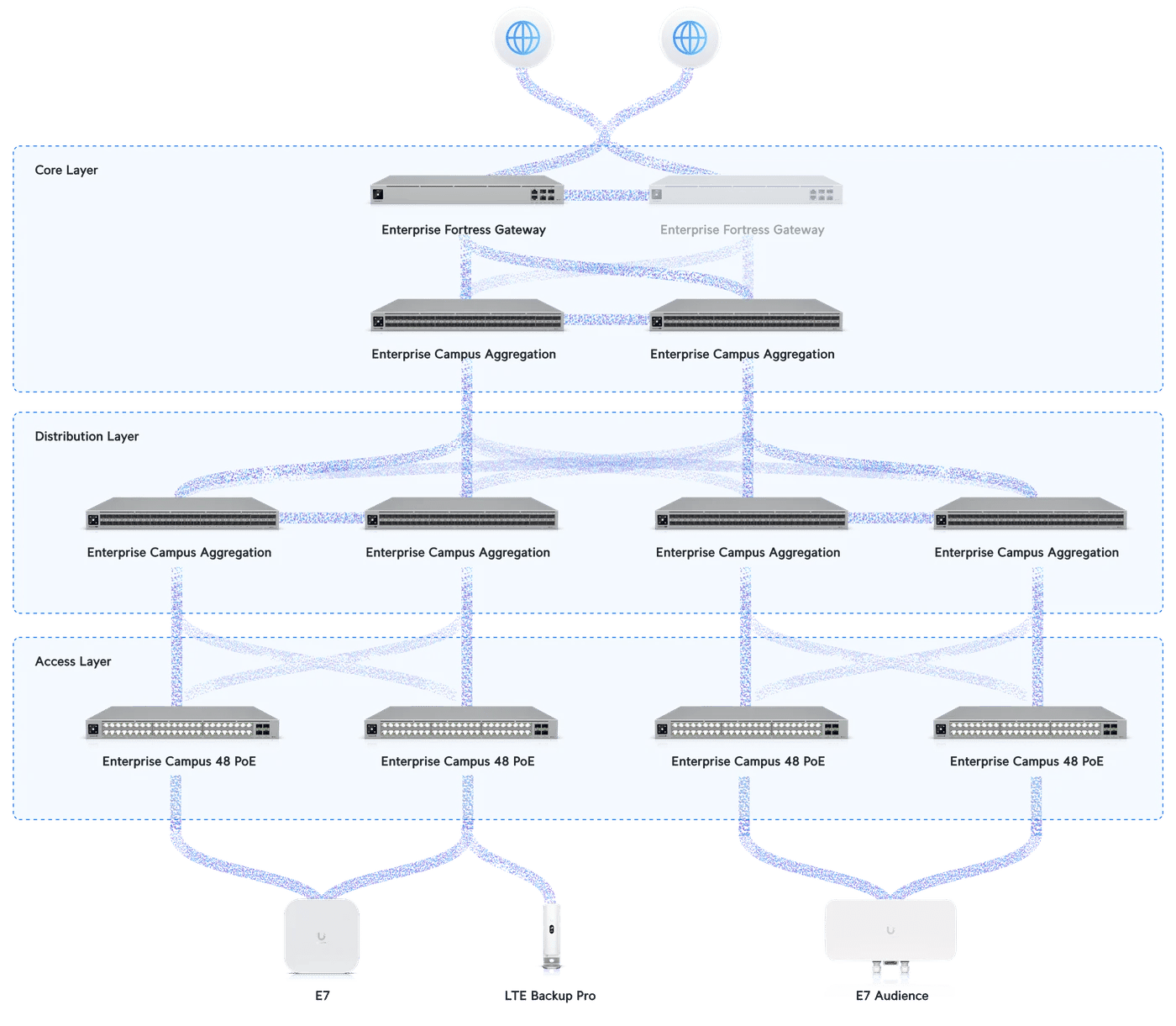
A UniFi gateway can take more than one internet connection and monitors each one. When the main connection is degraded, traffic moves to the next one on its own, and moves back when it recovers. Alternatively, both connections can share the load for increased bandwidth.
For the most reliable setup, we pair your wired internet with a 5G backup, and add a second wired provider where the budget allows.
High availability with Shadow Mode
Behind the internet connections sits the gateway, the brain of your network, and every device's traffic passes through it. Gateways can and do fail, and when one does, it often takes the entire network with it.
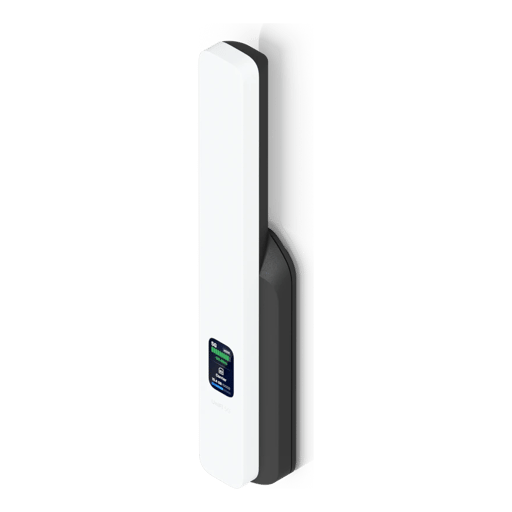
UniFi's Shadow Mode pairs two gateways of the same model. When the main gateway stops responding, the second takes over in a matter of seconds, and calls and sessions in progress carry on. For almost every client we recommend a pair of UDM Pro Max or UDM Beast gateways, with a UniFi WAN Switch sharing your internet connection between them.
Two paths to every switch
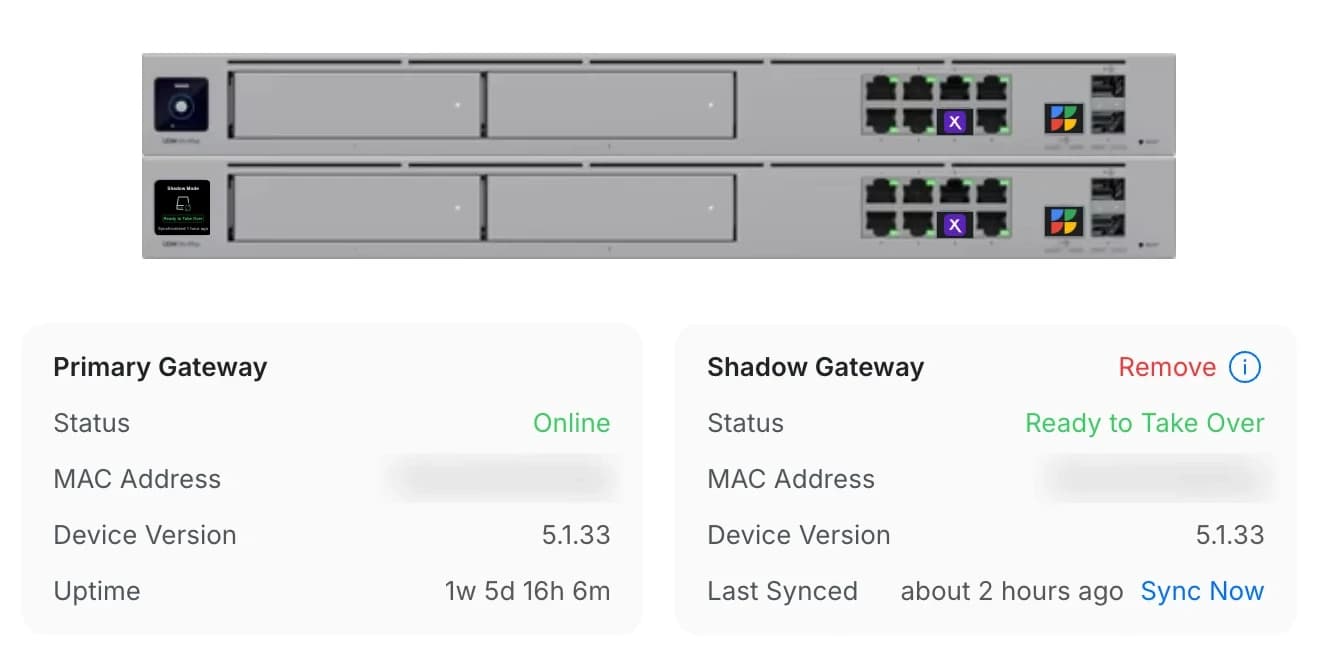
If the gateway is the brain, the switches are the spine of your network. Every device connects through a switch, and the switches connect to the gateway. To protect that connection, we run two cables between them as one aggregated link. While both cables are healthy, the link has twice the bandwidth, and when one is unplugged or damaged, the other keeps the link up.
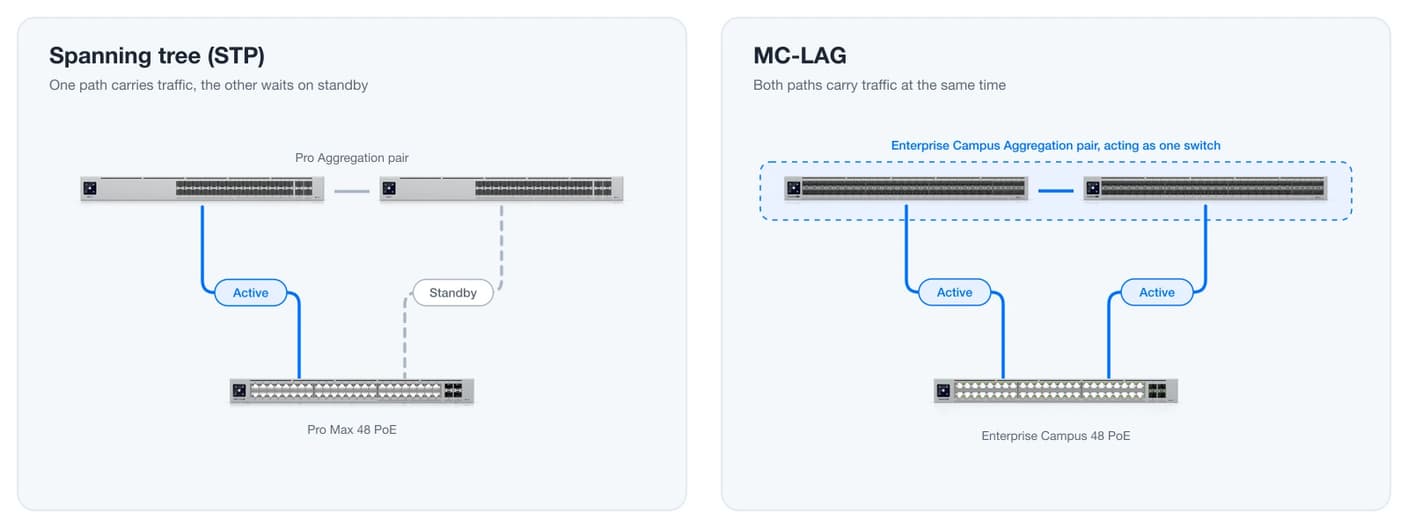
On a larger network with many switches, an aggregation switch is often needed to handle all those links, and adding one introduces a new single point of failure. The way to remove it is a second aggregation switch, with each switch running a second aggregated link to it.
UniFi manages those two paths in one of two ways. On UniFi's Pro switches, Spanning Tree Protocol (STP) keeps the second path on standby, ready to take over within 10 seconds when the first one fails. On UniFi's Enterprise Campus switches, MC-LAG keeps both paths in use at once, doubling the bandwidth again and moving past a failed switch almost instantly.
Redundant power supplies
Power supplies are one of the parts most likely to fail, and a switch or gateway with only one goes down with it. UniFi's Pro and Pro Max switches and its rack-mount gateways take a SmartPower RPS, which backs up as many as six devices. We include one whenever we can, though it's often the first thing cut from a tight budget.
An RPS keeps a device running only until its replacement arrives. A device with a failed power supply can't start up on RPS power, and the supply can't be replaced on its own. Ubiquiti's stock can be hit or miss, so we keep common models on hand and can often install a replacement for our business clients right away.
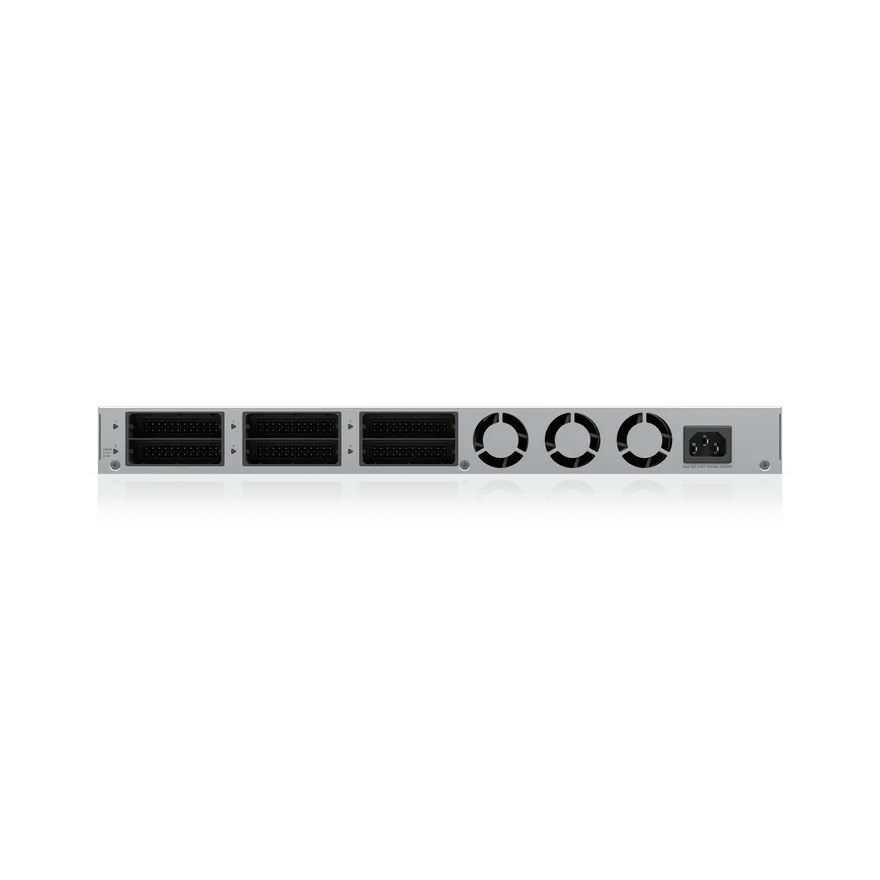
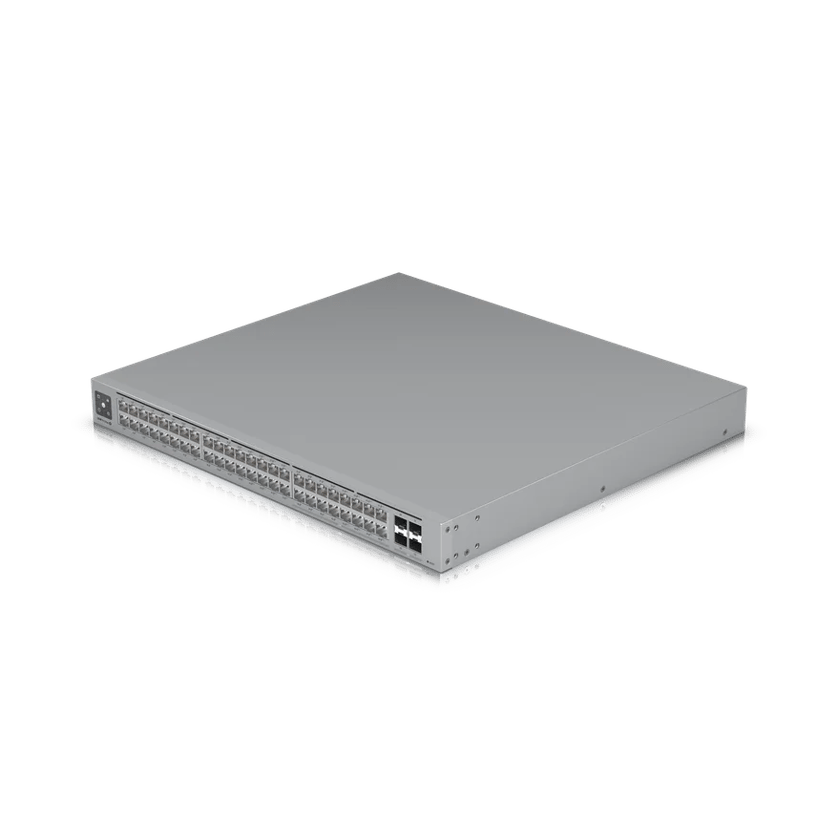
UniFi's Enterprise Campus switches and the Enterprise Firewall Core go further, with two power supplies and fans you can swap while the device stays online. When one fails, the other carries the load, and we replace just the failed module. The unit stays in the rack and never has to be sent in.
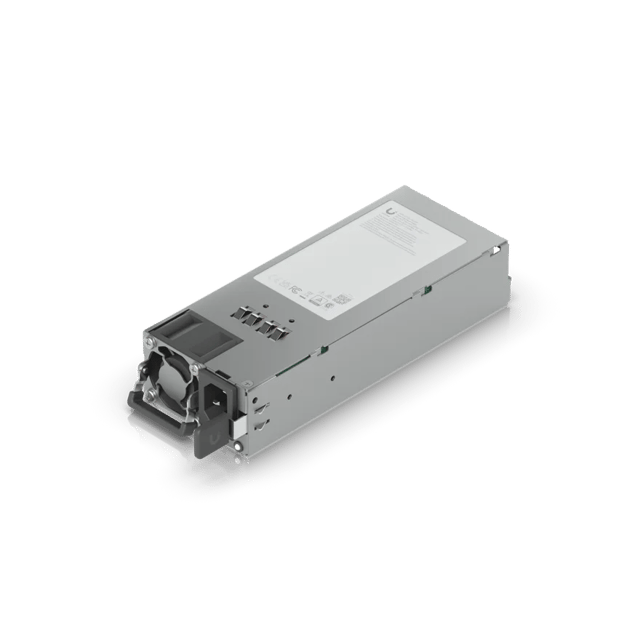 Hot-Swappable Power ModuleSlides out while the switch runs
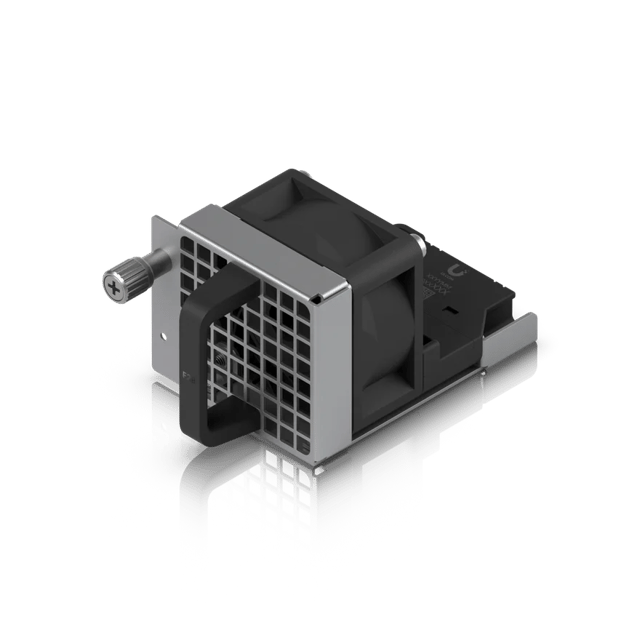 Hot-Swappable Fan ModuleFront-to-back airflow
Battery backup
We install a battery backup (UPS) in every rack. It carries the network through short outages and conditions the power the equipment runs on. We're moving our racks to the UniFi UPS 2U Pro, which is managed in UniFi Network with the rest of the system.
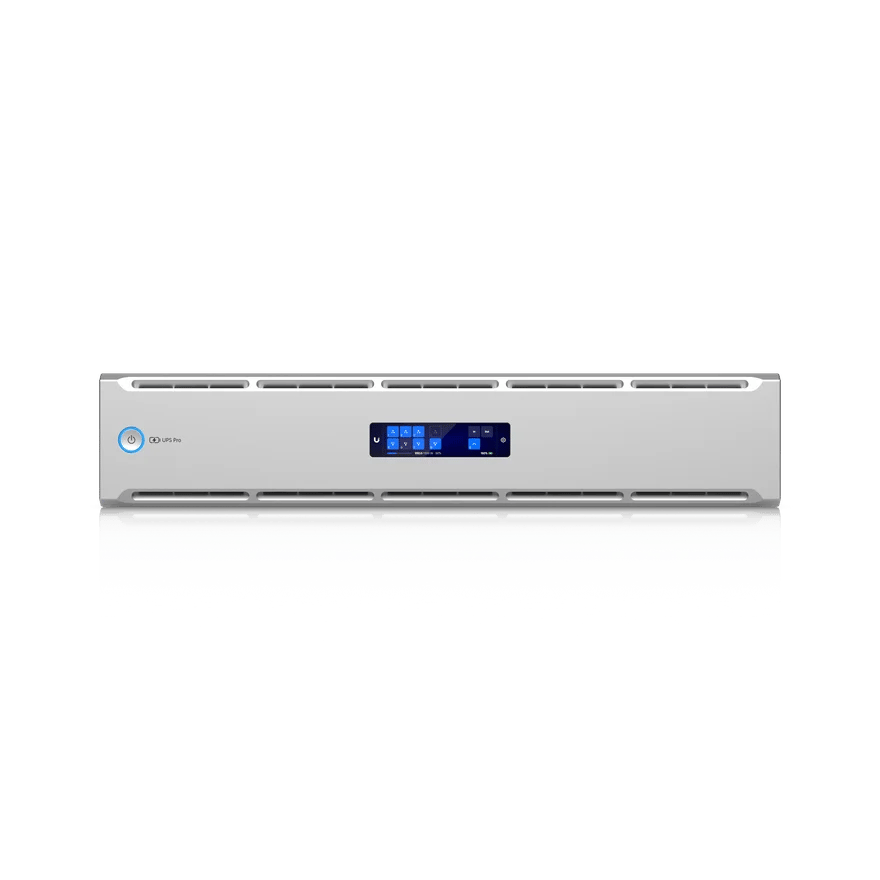
For clients who need full redundancy, that means two UPS units on two separate circuits. Every device's primary power supply plugs into the first UPS, and its secondary, or the RPS backing it, into the second.
That level of redundancy may seem extreme, but it protects the network against a tripped breaker, an unplugged cord or a failed UPS. It also keeps the network up while an electrician works on one of the circuits.
Building to the downtime you can accept
Every part you back up is one less failure that can take your business offline. Book a call and tell us what an hour of downtime costs you and which failures you can live with, and we'll build the network to match.
Sources
- An Overview of High Availability in UniFi, Ubiquiti Help Center
- Shadow Mode High Availability on UniFi Cloud Gateways, Ubiquiti Help Center
- Gateway High Availability and Failover (Shadow Mode, VRRP), Ubiquiti Academy
- WAN Failover, Load Balancing, and Port Remapping on UniFi Gateways, Ubiquiti Help Center
- Configuring MC-LAG in UniFi Network, Ubiquiti Help Center
- Understand and Mitigate Network Loops (STP), Ubiquiti Help Center
- Power Redundancy, Ubiquiti Help Center
- UniFi Redundant Power: Tech Specs, Ubiquiti
- Enterprise Campus 48 PoE: Tech Specs, Ubiquiti
- UniFi UPS 2U Pro: Tech Specs, Ubiquiti
- Hot-Swappable Power Module (600W): Tech Specs, Ubiquiti
- Hot-Swappable Fan Module: Tech Specs, Ubiquiti
- Enterprise Firewall Core: Tech Specs, Ubiquiti